

Most security breaches start quietly, with intruders making small, unnoticed changes. You can’t afford to wait until the damage shows up in your reports. Real-time website monitoring that includes automated file integrity monitoring and brute force login prevention catches threats before they spread, helping you detect unauthorized file changes and spot web traffic anomalies early. This is how you keep your business safe around the clock.
Understanding the Modern Threat Landscape
Cyber attackers have refined their methods over the years. They no longer announce their presence with obvious disruptions. Instead, they operate in silence, making incremental modifications to your systems that go undetected for weeks or months. By the time you notice something wrong, the damage has already spread throughout your infrastructure.
Your business depends on the integrity of your digital assets. Every file, every line of code, and every login attempt represents a potential entry point for malicious actors. Without continuous oversight, you leave your organization vulnerable to threats that could compromise sensitive customer data, disrupt operations, and damage your reputation.
Real-time website monitoring provides the constant vigilance your business needs. This proactive approach ensures that your security team receives immediate alerts when something deviates from normal patterns, allowing for rapid response before minor incidents escalate into major crises.
The Critical Role of Automated File Integrity Monitoring
Your website consists of thousands of files working together to deliver services to your customers. When an attacker gains access to your system, one of their first actions involves modifying existing files or injecting new ones. These changes can introduce backdoors, steal data, or redirect users to malicious sites.
Automated file integrity monitoring serves as your first line of defense against these threats. This technology creates detailed snapshots of your file system, recording the exact state of every file, including its size, permissions, and cryptographic hash. The system then continuously compares the current state of your files against these baseline snapshots.
When the monitoring system identifies a discrepancy, it immediately triggers an alert. This means you can detect unauthorized file changes within seconds of their occurrence, rather than discovering them weeks later during a routine audit. The speed of detection directly correlates to your ability to contain the threat and minimize damage.
File integrity monitoring also provides forensic value. When an incident occurs, you need to understand exactly what changed, when it changed, and how the modification occurred. Detailed logs from your monitoring system give your security team the information they need to trace the attack vector, assess the scope of the breach, and implement appropriate remediation measures.
Implementing Effective File Monitoring Strategies
Your monitoring strategy should cover all critical system components. This includes web application files, configuration files, database schemas, and system binaries. Attackers often target configuration files because small changes can grant them elevated privileges or disable security features.
The monitoring system should operate continuously, checking file integrity at frequent intervals. Some organizations check every minute, while others perform verification every few seconds for high-value assets. The frequency depends on your risk tolerance and the sensitivity of your data.
You must also establish clear protocols for responding to alerts. Not every file change indicates an attack. Legitimate updates occur during normal operations, and your team needs to distinguish between authorized modifications and suspicious activity. Your monitoring solution should integrate with your change management system, automatically verifying that detected changes correspond to approved maintenance windows.
Brute Force Login Prevention: Stopping Attackers at the Gate

While file monitoring protects your internal systems, brute force login prevention defends your entry points. Attackers frequently attempt to gain access by systematically trying username and password combinations until they find valid credentials. These attacks can involve thousands or millions of login attempts, often distributed across multiple IP addresses to avoid detection.
Brute force login prevention systems analyze authentication attempts in real time, identifying patterns that indicate automated attacks. When the system detects suspicious activity, it can implement various countermeasures, from introducing delays between login attempts to temporarily blocking the offending IP addresses.
The sophistication of modern brute force attacks requires equally sophisticated defenses. Attackers use credential stuffing, where they test username and password pairs stolen from other breaches. They also employ slow brute force attacks, spreading attempts over extended periods to avoid triggering rate limits.
Your prevention system must account for these varied attack methods. It should track failed login attempts across time windows, correlate activity from different IP addresses, and identify patterns that suggest coordinated attacks. Machine learning algorithms can enhance detection by recognizing subtle anomalies that rule-based systems might miss.
Balancing Security and User Experience
Implementing brute force login prevention requires careful calibration. Overly aggressive settings can lock out legitimate users who simply forgot their passwords or made typos. This creates friction in the user experience and generates support tickets that consume your team’s time.
The solution lies in risk-based authentication. Your system should assess multiple factors beyond just failed login attempts. Geographic location, device fingerprints, time of day, and behavioral patterns all provide context that helps distinguish legitimate users from attackers. A user logging in from their usual location on a recognized device might receive more lenient treatment than an attempt from an unfamiliar country using a new device.
Multi-factor authentication provides an additional security layer that significantly reduces the effectiveness of brute force attacks. Even if attackers obtain valid credentials, they cannot complete the login process without access to the second authentication factor. Your prevention strategy should encourage or require multi-factor authentication for sensitive accounts.
Web Traffic Anomaly Detection: Reading Between the Lines
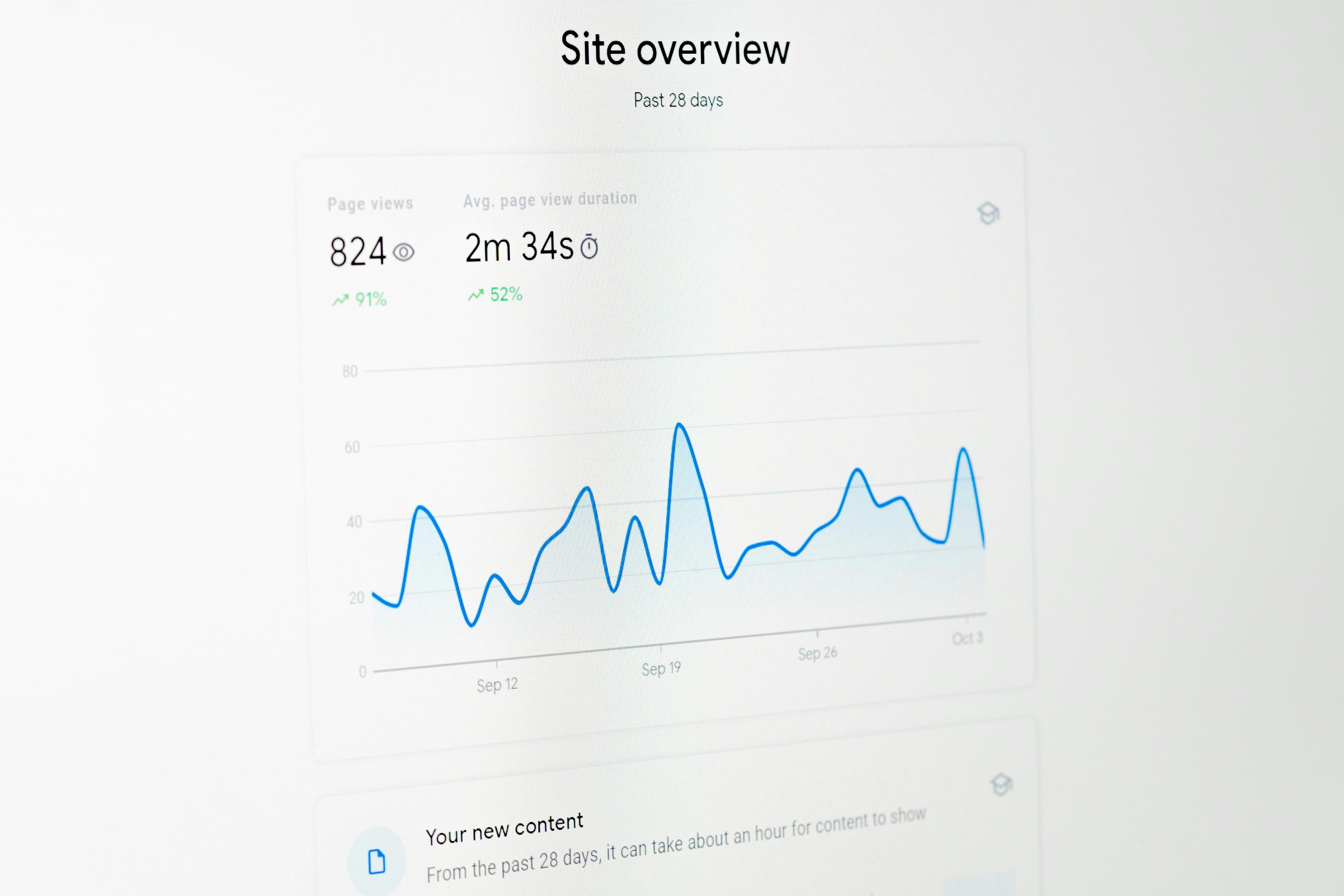
Your website generates constant streams of traffic data. Every request, every click, and every interaction leaves a trace. Within this normal activity, anomalies often signal security incidents. Web traffic anomaly detection analyzes these patterns to identify behavior that deviates from established baselines.
Anomalies take many forms. A sudden spike in traffic to administrative pages might indicate reconnaissance activity. Unusual request patterns could suggest automated scanning tools probing for vulnerabilities. Geographic anomalies, such as traffic from regions where you have no customers, warrant investigation.
The challenge lies in distinguishing between benign anomalies and genuine threats. Traffic patterns naturally fluctuate due to marketing campaigns, seasonal trends, and viral content. Your detection system must understand these normal variations to avoid flooding your security team with false positives.
Machine learning models excel at this task. By training on historical traffic data, these models learn what constitutes normal behavior for your specific environment. They can then identify deviations that fall outside expected parameters, even when those deviations involve subtle patterns that human analysts might miss.
Responding to Detected Anomalies
Detection alone provides limited value. Your organization needs clear procedures for investigating and responding to identified anomalies. This begins with prioritization. Not every anomaly requires immediate attention, but critical alerts demand rapid response.
Your security operations center should receive real-time notifications when high-priority anomalies occur. These alerts should include contextual information that helps analysts quickly assess the situation. What type of anomaly was detected? What systems are affected? What is the potential impact on business operations?
Automated response capabilities can mitigate certain threats without human intervention. If the system detects a distributed denial of service attack, it can automatically engage traffic filtering and load balancing mechanisms. For suspected bot activity, it might implement CAPTCHA challenges or rate limiting.
Integrating Real-Time Monitoring into Your Security Architecture
Real-time website monitoring works best as part of a comprehensive security strategy. It should integrate with your existing security tools, sharing data and coordinating responses across your entire infrastructure.
Your monitoring solution should feed data into your security information and event management system. This central repository correlates events from multiple sources, providing a holistic view of your security posture. When file integrity monitoring detects unauthorized changes at the same time that login prevention systems report increased authentication attempts, the correlation suggests a coordinated attack.
Integration with incident response platforms streamlines your reaction to threats. When the monitoring system identifies a security event, it can automatically create tickets, assign them to appropriate team members, and initiate predefined response workflows. This automation reduces response times and ensures consistent handling of security incidents.
Your monitoring infrastructure should also connect with threat intelligence feeds. These external sources provide information about known attack patterns, malicious IP addresses, and emerging vulnerabilities. By incorporating this intelligence, your monitoring systems can proactively watch for indicators of compromise specific to current threat campaigns.
Building a Culture of Security Awareness
Technology alone cannot protect your business. Your team members represent both your greatest vulnerability and your strongest defense. Building a culture where security awareness permeates every level of your organization multiplies the effectiveness of your technical controls.
Employees should understand why real-time website monitoring matters. When they grasp the threats your business faces and how monitoring systems protect against those threats, they become active participants in your security program rather than passive observers.
Training programs should cover the basics of recognizing security incidents. Team members who understand common attack patterns can provide valuable early warnings. A developer who notices unusual file modifications or a customer service representative who hears about strange website behavior can alert your security team before automated systems detect the problem.
Your security culture should encourage reporting without fear of blame. When people worry about getting in trouble for reporting false alarms, they stay silent even when they observe genuine threats. Create an environment where raising security concerns is praised, regardless of whether the concern turns out to be valid.
Measuring the Business Impact of Real-Time Monitoring
Investing in real-time website monitoring requires budget allocation and ongoing operational commitment. Justifying these expenses demands clear metrics that demonstrate value to business stakeholders.
Start by calculating the cost of security incidents. What would a data breach cost your organization in terms of regulatory fines, legal fees, remediation expenses, and lost business? Industry studies provide baseline figures, but your specific costs depend on the nature of your business and the sensitivity of your data.
Compare these potential costs against the investment required for comprehensive monitoring. The return on investment becomes clear when you consider that detecting and stopping a single major breach can save far more than years of monitoring expenses.
Track metrics that demonstrate the effectiveness of your monitoring program. How many threats did your systems detect? How quickly did your team respond? What was the average time from detection to containment? These numbers show stakeholders that your security investments deliver tangible results.
Document near misses where monitoring systems caught threats before they caused damage. These stories provide compelling evidence of your program’s value. When you can tell your board that automated file integrity monitoring stopped an attack that would have compromised customer data, you demonstrate concrete business protection.
Choosing the Right Monitoring Solution
The market offers numerous monitoring solutions, each with different capabilities, architectures, and pricing models. Selecting the right platform for your organization requires careful evaluation of your specific needs and constraints.
Consider your technical environment. What platforms and technologies power your web presence? Your monitoring solution must support your specific stack, whether you run traditional servers, containerized applications, or serverless architectures.
Scalability matters for growing businesses. Your monitoring infrastructure should handle your current traffic volumes while accommodating future growth. Cloud-based solutions often provide better scalability than on-premises deployments, automatically adjusting capacity as your needs change.
Evaluate the quality of alerts and reporting. A monitoring system that generates excessive false positives will overwhelm your security team, leading them to ignore or disable alerts. Look for solutions that offer tunable detection thresholds and sophisticated filtering to minimize noise.
Integration capabilities determine how well the monitoring solution fits into your existing technology ecosystem. Strong API support, pre-built connectors for common security tools, and flexible data export options ensure that your monitoring system can share information with other components of your security architecture.
The Path Forward: Continuous Improvement
Security threats constantly change as attackers develop new techniques and target emerging vulnerabilities. Your monitoring program must adapt to remain effective against evolving threats.
Regular reviews of your monitoring configuration ensure that your systems continue to meet your needs. As your infrastructure changes through normal business operations, your monitoring coverage must expand to protect new assets and applications.
Stay informed about emerging threats and attack techniques. Security research communities regularly publish information about new vulnerabilities and exploitation methods. Incorporate this knowledge into your monitoring rules and detection algorithms.
Test your monitoring systems regularly. Conduct simulated attacks to verify that your detection capabilities work as expected. These exercises also provide valuable training opportunities for your security team, helping them refine their incident response procedures.
Invest in your security team’s professional development. As monitoring technologies advance, your staff needs ongoing education to leverage new capabilities effectively. Certifications, conferences, and training courses keep your team current with best practices and emerging trends.
Taking Action Today
Every day without comprehensive real-time website monitoring leaves your business exposed to threats that could compromise your operations, damage your reputation, and impact your bottom line. The question is not whether you can afford to implement robust monitoring, but whether you can afford not to.
Begin by assessing your current security posture. Where are the gaps in your visibility? What threats could slip through undetected? This honest evaluation provides the foundation for building an effective monitoring program.
Prioritize your most critical assets. You may not be able to implement comprehensive monitoring across your entire infrastructure immediately, but you can start with your most sensitive systems and data. Protect what matters most first, then expand coverage as resources allow.
Engage with security professionals who can guide your implementation. Whether you build an internal security operations center or partner with a managed security service provider, expert guidance ensures that your monitoring program follows industry best practices and addresses your specific risk profile.
The threats facing your business will not wait for you to get ready. Attackers probe systems constantly, looking for vulnerable targets. Real-time website monitoring, automated file integrity monitoring, and brute force login prevention give you the tools to detect unauthorized file changes and identify threats through web traffic anomaly detection before they cause irreparable harm. Your business, your customers, and your stakeholders deserve this level of protection.
Frequently Asked Questions
What is real-time website monitoring and why does my business need it?
Real-time website monitoring continuously tracks your web infrastructure for security threats, unauthorized changes, and suspicious activity as they happen. Your business needs it because cyber attacks occur silently and spread quickly. Without immediate detection, a minor breach can escalate into a major incident that compromises customer data and disrupts operations before you even know it exists.
How does automated file integrity monitoring detect unauthorized file changes?
Automated file integrity monitoring creates cryptographic snapshots of your files and continuously compares the current state against these baselines. When any file is modified, added, or deleted, the system immediately detects the discrepancy and alerts your security team. This allows you to identify malicious changes within seconds rather than discovering them weeks later during a manual audit.
What is brute force login prevention and how does it protect my accounts?
Brute force login prevention analyzes authentication attempts in real time to identify patterns indicating automated password guessing attacks. The system tracks failed login attempts, recognizes suspicious patterns, and implements countermeasures like temporary IP blocks or authentication delays. This stops attackers from systematically testing credentials to gain unauthorized access to your systems.
How does web traffic anomaly detection identify security threats?
Web traffic anomaly detection uses machine learning to establish baselines of normal traffic patterns for your website. It then continuously monitors incoming requests and flags deviations that could indicate security threats, such as unusual spikes in administrative page access, automated vulnerability scanning, or traffic from suspicious geographic locations. This helps you identify reconnaissance activity and attacks before they succeed.
What should I look for when choosing a real-time monitoring solution?
Look for a solution that supports your specific technology stack, scales with your business growth, and integrates with your existing security tools. The system should provide accurate alerts with minimal false positives, offer customizable detection rules, and include comprehensive reporting capabilities. Strong vendor support and regular updates to address emerging threats are also critical factors in your decision.
How Elevated Marketing can help
We do this work every day for businesses in Indianapolis, the DC & Virginia metro, and nationwide.
→ Website Security & Monitoring→ SEO & GEO Services→ Managed Web Hosting→ More on UncategorizedGet a free audit