

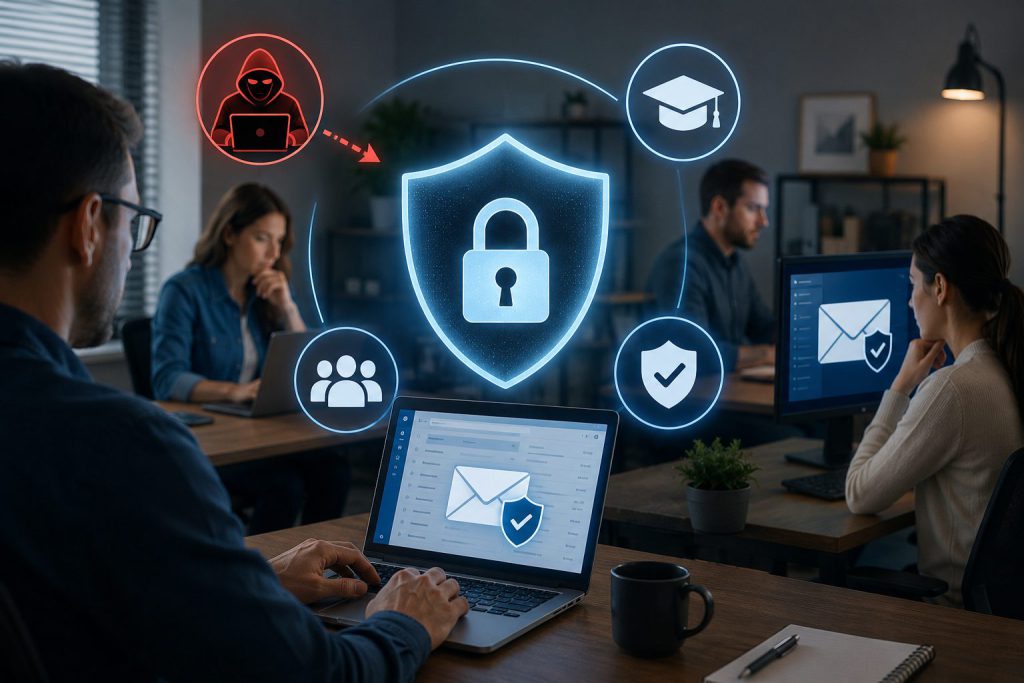
Most data breaches in small businesses start with one click from an employee. You can have the best security tools, but without a smart small business phishing defense strategy, your network stays vulnerable. This post shows how employee cybersecurity awareness training SMB can cut risks and keep your sensitive data safe around the clock.
Understanding the Human Element in Cybersecurity
Small businesses face a critical challenge that technology alone cannot solve. Your employees represent both your greatest asset and your most significant security vulnerability. Statistics reveal that over 90% of successful cyberattacks begin with a phishing email that tricks an unsuspecting team member into clicking a malicious link or downloading infected files.
The reality is stark: you can invest thousands in firewalls, antivirus software, and encryption tools, yet a single employee mistake can compromise your entire network. This is why human error data breach prevention must be at the core of your security strategy. Your people need to become your first line of defense, not your weakest link.
The Cost of Ignoring Email Security
Data breaches cost small businesses an average of $149,000 per incident. For many organizations, this represents a catastrophic financial blow that can force closure within months. Beyond immediate financial losses, breaches damage client trust, trigger regulatory penalties, and create lasting reputational harm.
When you consider that email remains the primary attack vector for cybercriminals targeting small businesses, the need for comprehensive email security best practices SMB becomes clear. Attackers know that small organizations often lack dedicated security teams and rely on employees to identify threats independently.
Building Your Small Business Phishing Defense Strategy
Creating an effective small business phishing defense strategy requires a multi-layered approach that combines technology, training, and consistent policy enforcement. Your strategy must address both the technical and human aspects of security.
Technical Controls for Email Security
Start by implementing strong email filtering systems that can identify and quarantine suspicious messages before they reach employee inboxes. Modern email security solutions use artificial intelligence and machine learning to detect phishing attempts, spoofed domains, and malicious attachments with increasing accuracy.
Deploy sender authentication protocols including SPF, DKIM, and DMARC to verify that incoming emails originate from legitimate sources. These protocols help prevent domain spoofing, where attackers disguise their emails to appear as if they come from trusted contacts or well-known companies.
Enable multi-factor authentication across all business accounts and applications. This creates an additional security layer that protects your systems even if an employee’s credentials become compromised through a phishing attack.
Creating a Culture of Security Awareness
Technology provides the foundation, but employee cybersecurity awareness training SMB creates the defensive wall that keeps your organization safe. Your training program should be comprehensive, ongoing, and tailored to the specific risks your business faces.
Begin with baseline training that teaches all employees to recognize common phishing tactics. Cover the warning signs: urgent language demanding immediate action, requests for sensitive information, unexpected attachments, suspicious sender addresses, and links that don’t match their displayed text.
Make training relevant by using real examples of phishing emails that target your industry. Generic training often fails because employees cannot connect abstract concepts to their daily work. When they see actual threats similar to what lands in their inbox, they pay closer attention and retain more information.
Implementing Employee Cybersecurity Awareness Training SMB
Effective training goes beyond a single orientation session. You need a structured program that reinforces security concepts regularly and adapts to emerging threats.
Developing Your Training Curriculum
Structure your employee cybersecurity awareness training SMB program around these core components:
Initial Onboarding: Every new employee should complete security training during their first week. Cover your organization’s security policies, acceptable use guidelines, password requirements, and reporting procedures for suspicious activity.
Quarterly Refresher Sessions: Schedule brief training sessions every three months to review key concepts and introduce information about new threats. Keep these sessions focused and practical, lasting no more than 30 minutes to maintain engagement.
Simulated Phishing Exercises: Conduct regular simulated phishing campaigns to test employee vigilance and identify individuals who need additional support. These exercises provide valuable data about your organization’s security posture while creating teachable moments.
Role-Specific Training: Customize training based on job functions. Employees in finance, human resources, and executive roles face different threats and handle more sensitive data, requiring specialized instruction.
Making Training Stick
Adult learners retain information best through active participation and practical application. Structure your training to include interactive elements rather than passive lectures or lengthy documents.
Use short video modules that demonstrate real phishing scenarios and walk through the decision-making process for evaluating suspicious emails. Videos should be concise, professionally produced, and accessible on multiple devices.
Create quick reference guides that employees can keep at their desks or save on their computers. These should include visual examples of phishing red flags, step-by-step instructions for reporting suspicious emails, and contact information for your IT support team.
Gamify the learning process by creating friendly competition around security awareness. Recognize employees who consistently identify simulated phishing attempts and report suspicious activity. Public acknowledgment reinforces positive behavior and motivates others to stay vigilant.
Phishing Attack Protection for Small Business
Your phishing attack protection for small business must extend beyond training to include clear policies, response procedures, and continuous monitoring.
Establishing Security Policies
Document comprehensive security policies that define acceptable email practices, data handling procedures, and consequences for policy violations. Your policies should be clear, accessible, and reviewed annually.
Require strong, unique passwords for all accounts and mandate password changes every 90 days. Prohibit password sharing and establish protocols for secure password storage using approved password management tools.
Define which types of information employees can share via email and which require more secure transmission methods. Financial data, personal information, and proprietary business information should never be sent through unencrypted email.
Creating Incident Response Procedures
Despite your best efforts, some phishing attempts will succeed. Your organization needs clear procedures for responding quickly to minimize damage.
Establish a simple reporting process that allows employees to flag suspicious emails immediately. Create a dedicated email address or use a one-click reporting button integrated into your email client.
Define escalation procedures that specify who receives reports, how quickly they must respond, and what actions they should take. Time is critical when containing a breach, so your response team must be able to act within minutes of receiving a report.
Document the steps for isolating compromised accounts, changing passwords, scanning for malware, and assessing what data may have been exposed. Having these procedures written down prevents panic and ensures consistent, effective responses.
Email Security Best Practices SMB
Implementing email security best practices SMB requires attention to both configuration and user behavior. Your approach should create multiple barriers that attackers must overcome.
Securing Your Email Infrastructure
Configure your email server to reject messages that fail authentication checks. While this may occasionally block legitimate emails from poorly configured servers, it significantly reduces the volume of spoofed messages reaching your employees.
Disable automatic image loading in emails. Many phishing messages use embedded images to track when recipients open emails and verify that addresses are active. Requiring manual image loading gives employees an extra moment to evaluate message legitimacy.
Implement email encryption for sensitive communications. End-to-end encryption ensures that even if messages are intercepted, their contents remain unreadable to unauthorized parties.
Regularly update and patch your email systems and security software. Attackers constantly probe for known vulnerabilities, and outdated systems provide easy entry points.
Teaching Safe Email Habits
Train employees to verify unexpected requests through alternative communication channels. If they receive an email requesting sensitive information or urgent action, they should call the supposed sender using a known phone number, not one provided in the email.
Encourage hovering over links before clicking to reveal the actual destination URL. Teach employees to look for subtle misspellings in domain names and to be suspicious of shortened URLs that hide the true destination.
Instruct staff to open attachments only when they expect to receive them from known contacts. Even then, they should scan files with antivirus software before opening.
Promote a questioning mindset where employees feel comfortable verifying unusual requests rather than rushing to comply. Create an environment where asking “Is this legitimate?” is encouraged and rewarded.
Achieving 24/7 Cyber Threat Protection
True 24/7 cyber threat protection requires continuous monitoring, automated defenses, and rapid response capabilities that function regardless of whether your office is open.
Automated Monitoring and Response
Deploy security information and event management systems that continuously monitor your network for suspicious activity. These systems can detect unusual login patterns, large data transfers, and other indicators of compromise in real time.
Set up automated alerts that notify your security team immediately when potential threats are detected. Configure these alerts to reach team members through multiple channels including email, text message, and phone calls to ensure prompt awareness.
Implement automated response protocols that can isolate suspected compromised accounts, block suspicious IP addresses, and quarantine malicious files without requiring manual intervention. Automation ensures protection continues even outside business hours.
Managed Security Services
Many small businesses lack the resources to maintain in-house security teams capable of providing round-the-clock monitoring. Managed security service providers offer professional expertise and continuous protection at a fraction of the cost of building internal capabilities.
These providers monitor your systems constantly, respond to threats immediately, and keep your defenses current against emerging attack methods. They bring specialized knowledge and experience across multiple organizations, allowing them to identify and counter sophisticated threats that might bypass less experienced teams.
Regular Security Assessments
Schedule quarterly security assessments that test your defenses, identify vulnerabilities, and verify that policies are being followed. These assessments should include both automated scanning and manual review of security practices.
Conduct annual penetration testing where ethical hackers attempt to breach your systems using the same methods as criminals. The results reveal weaknesses in your defenses and provide actionable recommendations for improvement.
Review and update your security policies annually to address new threats, incorporate lessons learned from incidents, and reflect changes in your business operations or technology environment.
Measuring Program Effectiveness
Your human error data breach prevention efforts must be measured and refined continuously. Track key metrics that indicate whether your program is working.
Key Performance Indicators
Monitor the percentage of employees who correctly identify simulated phishing emails. Track this metric over time to assess whether training is improving awareness. Your goal should be 90% or higher identification rates.
Measure the time between when suspicious emails are received and when they are reported. Faster reporting indicates heightened awareness and allows quicker response to real threats.
Track the number of security incidents resulting from employee actions. A well-functioning program should show declining incident rates over time.
Survey employees regularly about their confidence in identifying threats and their understanding of security policies. Subjective measures complement objective data and can reveal gaps in training or communication.
Continuous Improvement
Use data from your metrics to identify employees who need additional support. Provide one-on-one coaching for individuals who consistently struggle to identify phishing attempts.
Analyze successful attacks that bypass your defenses to understand what made them effective. Share these lessons across your organization and update training to address new tactics.
Stay informed about emerging threats by subscribing to security bulletins, participating in industry forums, and maintaining relationships with security professionals. The threat environment changes constantly, and your defenses must adapt accordingly.
The Business Case for Investment
Investing in comprehensive email security and training programs delivers measurable returns that extend beyond breach prevention.
Quantifiable Benefits
Calculate the cost of your security program against the average cost of a data breach in your industry. For most small businesses, even a modest program costs less than 10% of the average breach expense, making it a financially sound investment.
Consider the productivity gains from reducing spam and malicious emails that reach employee inboxes. Time spent deleting junk mail and recovering from malware infections represents real costs that effective security measures eliminate.
Factor in the competitive advantage of demonstrating strong security practices to clients and partners. Many organizations now require proof of security measures before sharing data or entering contracts, making your program a business enabler.
Intangible Value
Strong security practices build client trust and protect your reputation. In an era where data breaches make headlines regularly, demonstrating that you take security seriously differentiates your organization from less careful competitors.
A security-conscious culture reduces stress and increases employee confidence. Team members who understand threats and know how to respond feel empowered rather than anxious about their role in protecting the organization.
Comprehensive security practices often satisfy regulatory requirements and industry standards, reducing compliance burdens and avoiding potential penalties.
Taking Action Today
Building effective email security and training programs does not require massive budgets or specialized expertise. Start with these practical steps that any small business can implement immediately.
Begin by assessing your current security posture. Identify what protections you have in place, where gaps exist, and which employees handle the most sensitive data.
Select appropriate email security tools that match your budget and technical capabilities. Many effective solutions are available at reasonable costs for small businesses.
Develop a simple training program starting with the basics. You can create effective training using free resources and templates available from cybersecurity organizations.
Schedule your first simulated phishing campaign within 30 days. Use the results to identify training needs and establish baseline metrics.
Document your security policies and incident response procedures. Clear written guidelines ensure consistent practices across your organization.
Assign responsibility for security oversight to a specific individual or team. Someone must own the program and drive continuous improvement.
Building Long-Term Security Resilience
Effective email security and human error data breach prevention require ongoing commitment rather than one-time fixes. The threats facing your business will continue to evolve, and your defenses must evolve with them.
By implementing a comprehensive small business phishing defense strategy that combines technical controls with employee cybersecurity awareness training SMB, you create multiple layers of protection that dramatically reduce your risk. Your investment in email security best practices SMB and 24/7 cyber threat protection delivers returns through prevented breaches, protected reputation, and sustained client trust.
The choice is clear: invest in protecting your organization proactively, or pay far higher costs when a preventable breach occurs. Your employees want to do the right thing and protect your business. Give them the knowledge, tools, and support they need to succeed, and transform your greatest vulnerability into your strongest defense.
Start building your phishing attack protection for small business today. Your data, your clients, and your business continuity depend on it. The threats are real and growing, but with the right strategy and commitment, you can keep your organization secure and thriving in an increasingly dangerous digital environment.
Frequently Asked Questions
What is the most common way phishing attacks succeed in small businesses?
Phishing attacks most often succeed through social engineering tactics that create urgency and bypass critical thinking. Attackers send emails that appear to come from trusted sources like banks, vendors, or executives, requesting immediate action such as clicking a link, downloading an attachment, or providing login credentials. Employees who lack training in recognizing these red flags often comply without verifying the request’s legitimacy, giving attackers access to systems and data.
How often should we conduct employee cybersecurity training?
You should provide initial comprehensive training during employee onboarding, followed by quarterly refresher sessions that last 20 to 30 minutes. Additionally, conduct monthly simulated phishing exercises to test awareness and provide real-time learning opportunities. Annual in-depth training sessions should cover emerging threats and review your organization’s security policies. This combination of regular touchpoints keeps security awareness high without overwhelming employees.
What are the warning signs of a phishing email?
Common warning signs include urgent language demanding immediate action, generic greetings like “Dear Customer” instead of your name, requests for sensitive information that legitimate organizations would never ask for via email, suspicious sender addresses with slight misspellings, and links that don’t match their displayed text when you hover over them. Poor grammar, unexpected attachments, and offers that seem too good to be true are also red flags that should prompt closer examination before taking any action.
Can small businesses afford professional email security solutions?
Yes, many email security solutions are specifically designed for small business budgets, with monthly costs ranging from $3 to $10 per user. These solutions provide automated threat detection, spam filtering, and phishing protection that far exceeds what free email services offer. When compared to the average $149,000 cost of a data breach, even a few hundred dollars per month represents a sound investment. Many providers also offer tiered pricing that allows you to start with basic protection and add features as your budget allows.
What should employees do if they click on a phishing link?
If an employee clicks a phishing link, they should immediately disconnect their device from the network to prevent malware spread, then notify your IT team or security contact without delay. They should not attempt to “undo” the action by clicking additional links or closing windows, as this may trigger additional malicious activity. Your IT team will need to scan the device for malware, change passwords for any accounts accessed from that device, and monitor for signs of unauthorized access. Fast reporting is critical, as quick action can limit damage significantly.
How Elevated Marketing can help
We do this work every day for businesses in Indianapolis, the DC & Virginia metro, and nationwide.
→ Website Security & Monitoring→ SEO & GEO Services→ Managed Web Hosting→ More on UncategorizedGet a free audit